Wait until the customer has used the product
An email sent the day after the order arrives before the parcel. The customer has nothing to say, or rates the courier. Start from your real delivery time and add a few days of use.
For clothing or accessories, a week after the order is usually enough. For a mattress, an appliance or anything judged over time, two to three weeks bring more useful reviews.
Invite everyone, with no sorting
Writing only to the customers you believe are happy gives a fine rating for a few months. Then a disappointed buyer posts elsewhere, and the gap shows. A 4.5 from 200 reviews, a few of them harsh, reassures more than a 5 from 12.
Avoid any reward as well. A discount voucher in exchange for a review distorts the result, and serious platforms reject those reviews.
Three templates to adapt
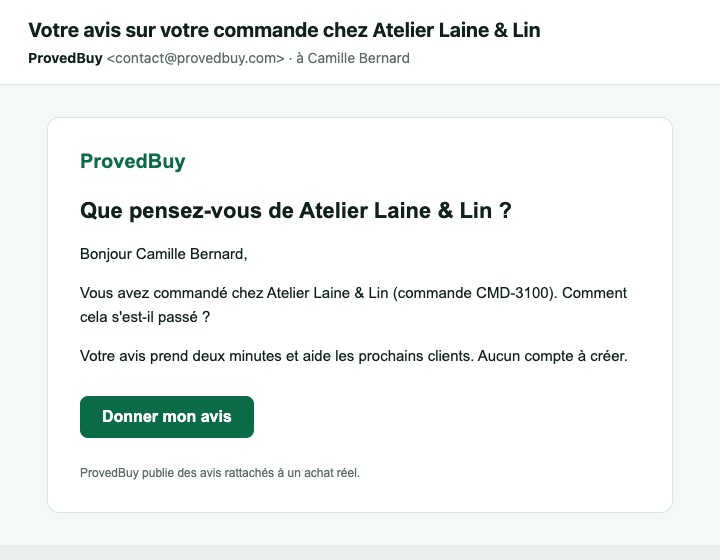
Keep the email short. One question, one button, nothing else.
After a product is delivered
Subject: Did your order arrive safely? Hello Camille, You received order no. 4521 a few days ago. Is everything as you expected? Your review helps us fix what needs fixing, and helps the next customers choose. It takes two minutes. [Write my review] Thank you, The store team
After a service
Subject: A word about our visit on Tuesday Hello Mr Roux, Our technician came to your home on Tuesday. Does the work match what we agreed? If something is wrong, simply reply to this message. If all is well, your review would be a real help. [Write my review] Kind regards
One reminder, ten days later
Subject: Your review still matters Hello Camille, We wrote to you last week about order no. 4521. If you have two minutes, we would like your feedback, good or less good. [Write my review] We will not remind you again.
What ProvedBuy does for you
You send your orders, by file or through the API. The invitation leaves on its own after the delay you chose, from 0 to 30 days. The customer answers without creating an account, and the review carries the "verified order" label.