Add the badge
Copy the code from the "Badge and widgets" page of your ProvedBuy account.
- In the back office, open Shop Parameters then General, and turn on "Allow iframes on HTML fields". Without it, PrestaShop strips the badge when you save.
- Open the "Custom text block" module or your own HTML block module.
- Switch the editor to source code, paste the code and save.
- Place the block on the hook of your choice: footer, product page column or cart.
Code HTML
<iframe src="https://provedbuy.com/encart/your-store.com?lang=en" title="Reviews verified by ProvedBuy" loading="lazy" style="border:0;width:100%;max-width:324px;height:168px"></iframe>
<p style="margin:6px 0 0;font:13px/1.4 system-ui,sans-serif"><a href="https://provedbuy.com/en/reviews/your-store.com" target="_blank" rel="noopener">Reviews verified by ProvedBuy</a></p>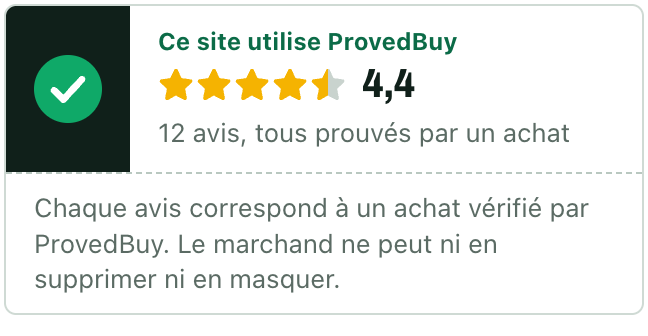
Send your orders without touching code
ProvedBuy needs three things per order: the customer's name, their email address and the order reference. Export them with the SQL Manager (Advanced Parameters, Database) or with your export module, then import the file on the "Invitations" page. One import takes up to 500 rows.
The reference is the key: an order already imported is never invited a second time.
Send every order automatically
On the Pro plan, a module of about thirty lines does the job. The example below hooks on actionValidateOrder, which fires when the order is created. If you would rather wait for the payment, use actionPaymentConfirmation instead.
Store the key in the module configuration, never in a theme file. Test mode is switched on by adding 'test' => true to the array you send.
Code PrestaShop
public function hookActionValidateOrder($params)
{
    $order = $params['order'];
    $customer = $params['customer'];
    $payload = json_encode(['items' => [[
        'customerName' => $customer->firstname . ' ' . $customer->lastname,
        'customerEmail' => $customer->email,
        'orderReference' => $order->reference,
    ]]]);

    $ch = curl_init('https://provedbuy.com/api/v1/integration/invitations');
    curl_setopt_array($ch, [
        CURLOPT_POST => true,
        CURLOPT_RETURNTRANSFER => true,
        CURLOPT_TIMEOUT => 10,
        CURLOPT_HTTPHEADER => ['X-Api-Key: ' . Configuration::get('PROVEDBUY_API_KEY'), 'Content-Type: application/json'],
        CURLOPT_POSTFIELDS => $payload,
    ]);
    curl_exec($ch);
    curl_close($ch);
}When the customer gets the invitation
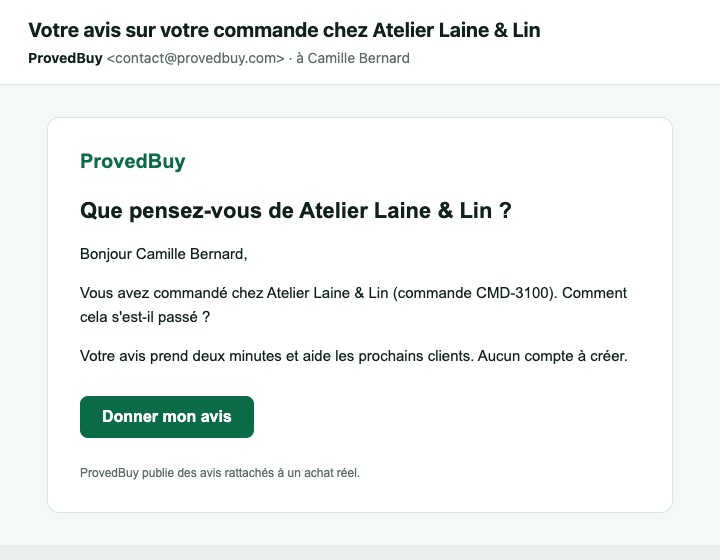
Seven days after the order, unless you change the delay in your settings (0 to 30 days). For pick-up point deliveries or made-to-order products, make it longer: a review requested before the parcel arrives is worthless.